Coffee brew log for any brewer
Log espresso, V60 and pour-over brews in one place
Keep manual coffee brews alongside your GaggiMate shots. Choose a brewer, add an optional recipe name, and record the measurements and taste that help you repeat a good cup with any espresso machine, V60 or other brewer.
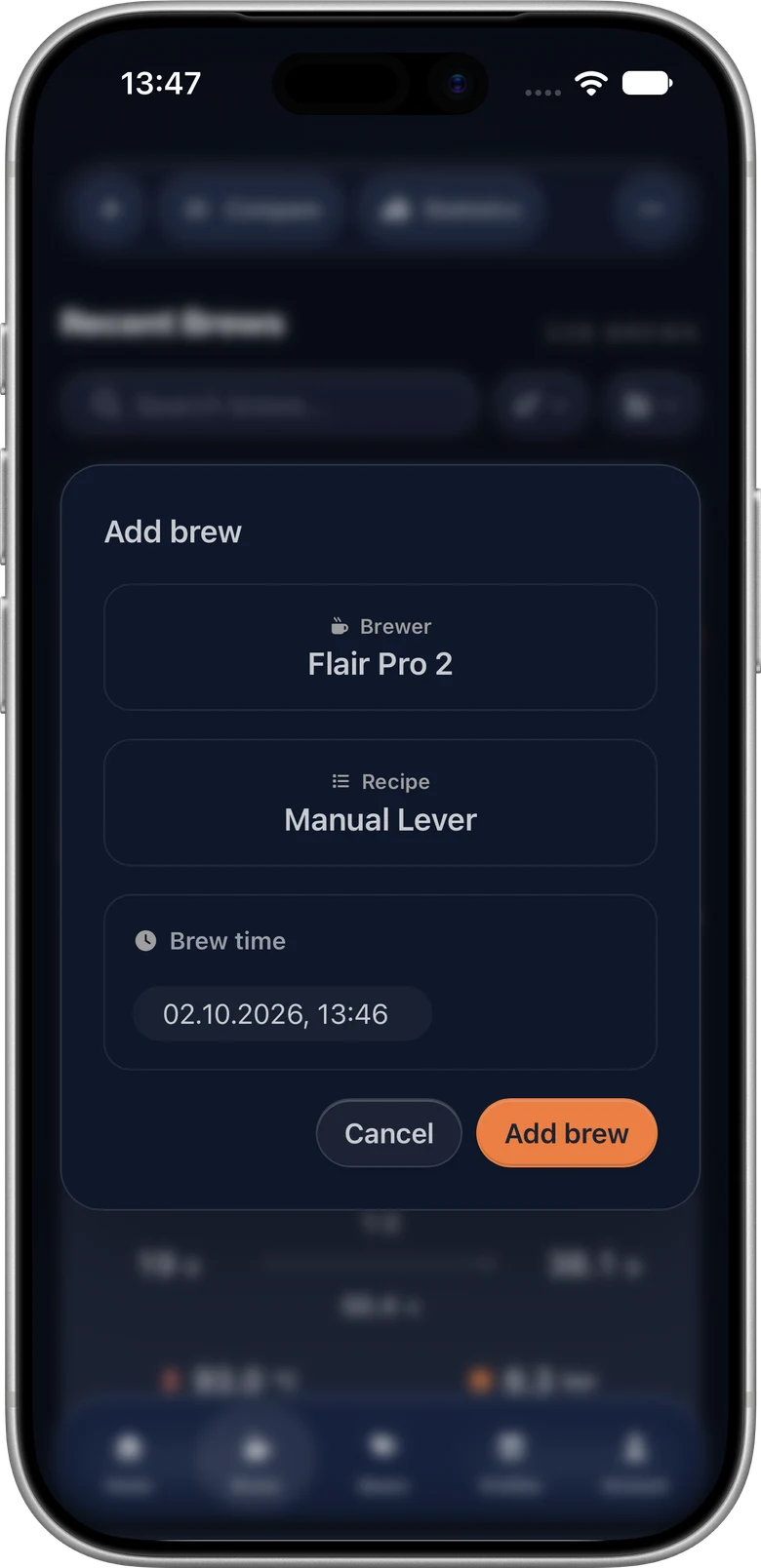
Start with a brewer and a recipe name
Sign in, open Brew Analyzer and choose Add brew. Select an existing brewer or name a new one, optionally choose or add a recipe name, and set the brew time.
Brewer names describe your equipment; recipe names help group your approach. Reuse them for later brews so your history stays easy to filter.
Record the values you measured
Enter your coffee dose and beverage yield, keep the resulting ratio with the brew, then add duration, temperature and a taste impression. Choose beans and a grinder setting through the same notes workflow used for recorded shots.
For espresso, record the dose and drink weight from your scale. For V60 or another pour-over, use the measurements that describe your own cup and recipe; Dose Out is beverage weight, not a machine’s pumped-water reading.
Compare results and explore your history
Find brews by their brewer and review the recorded values alongside taste and grinder settings. Compare manual results and use statistics for the measurements you entered.
Manual brews contain entered values. Recorded pressure, flow and temperature curves, phase targets and stop reasons belong to imported or synced machine shots. Missing manual measurements remain absent from the analysis.
Share your brew and keep it portable
Share a read-only brew with its equipment, recipe name and notes. Anyone with the link can inspect it without an account. A manual brew share presents its recorded details without a machine graph.
Your account archive includes manual brews, their notes, brewers and recipes. Manual records stay independent of machine synchronization.
Questions about manual coffee logging
- Do I need GaggiMate to use the coffee brew log?
- No. With an account, you can add manual brews from any espresso machine, V60, pour-over or other brewer and record your own measurements.
- Can I keep manual and synced brews together?
- Yes. Manual brews and recorded GaggiMate shots share your brew history, beans, grinders, notes, comparison and sharing tools. Machine curves are available only when the recorded shot contains them.
- What do I need to create a manual brew?
- An account, a brewer and a brew time. A recipe name is optional. Add dose, yield, duration, temperature and taste as you measure them.