Automatic GaggiMate Sync
Several GaggiMate machines, one brew library
Bring your GaggiMate shots, profiles and notes into MyBrewFolio automatically. The open-source Sync companion connects your local machines to your account, whether you use one desktop installation or several installations across desktop and Docker.
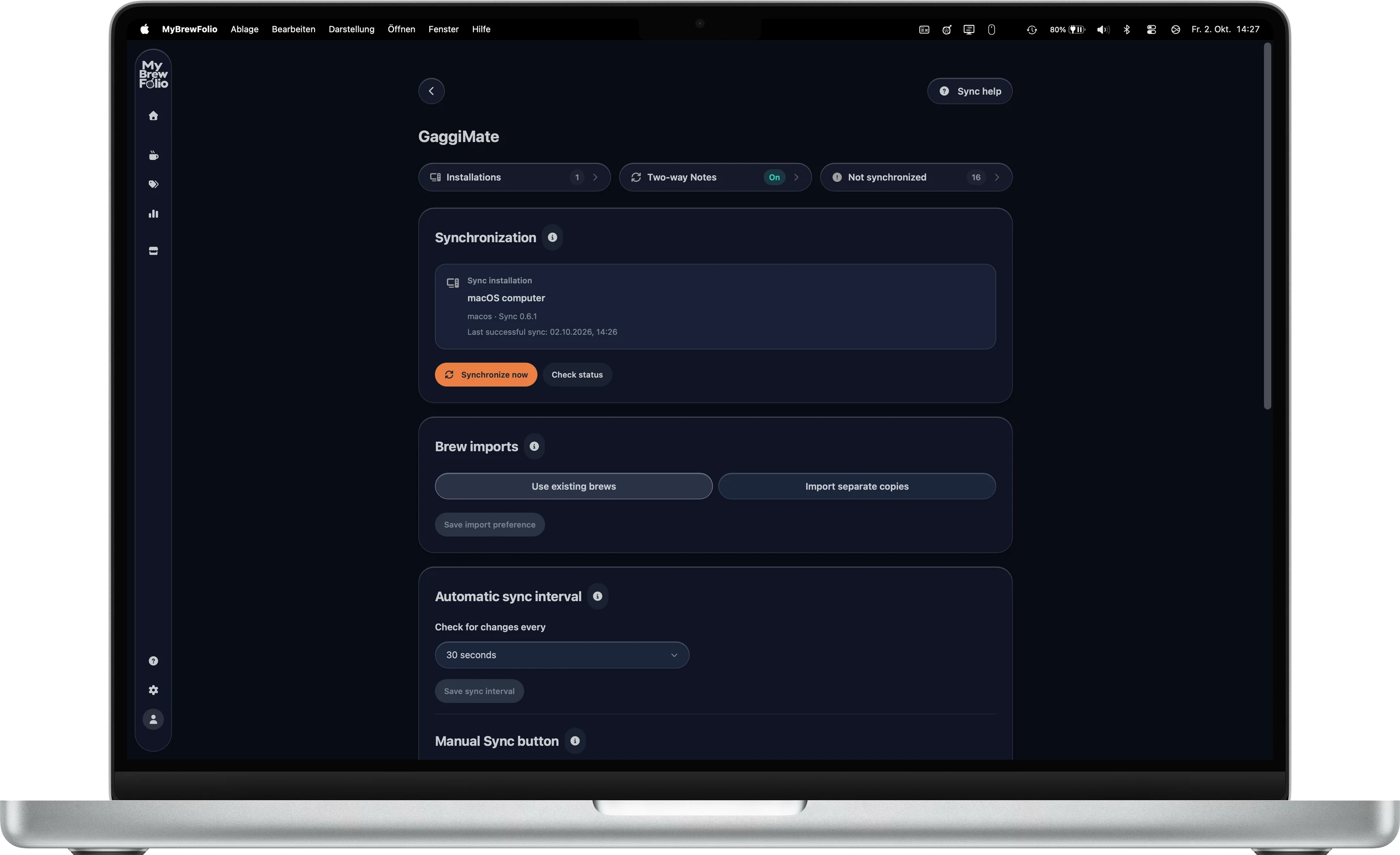
Connect machines and installations
Install the companion on your computer or run its Docker setup, then connect it to your MyBrewFolio account. Add the GaggiMate machines reachable on that installation’s local network.
One installation can manage multiple machines. Additional installations can connect to the same account, so you can manage the equipment and connections together from Account → Sync. Each machine keeps its source and settings.
Import automatically or start a manual sync
Automatic Sync imports new machine shots and profiles into your private MyBrewFolio library while the companion is running and connected. Brew notes can add beans, grinders and previous settings to your library.
Start a manual sync when you want an immediate update. After an interruption, Sync catches up with records still available on the machine. The companion must be able to reach GaggiMate and MyBrewFolio for the transfer to complete.
Enable notes back to GaggiMate when you need them
Automatic shot and profile imports flow from GaggiMate to MyBrewFolio. Notes have their own optional synchronization setting: enable it to transfer your MyBrewFolio note edits back to their corresponding machine shots.
Review the setup and backup guidance before enabling note synchronization. Existing records and conflicts need review; enabling this option does not turn profile imports into general two-way synchronization.
Install a Store profile as an explicit action
Browse the public Profile Store, inspect a compatible variant, then download the JSON or use the configured installation action. Installation through Sync sends the selected profile to your local machine after you review the action.
This installation workflow is separate from the automatic import of profiles already on GaggiMate. Public profiles remain available for browsing and download without a MyBrewFolio account.
Keep the machine connection local
Your local machine address stays in the Sync companion. MyBrewFolio stores synchronized brew content and the account’s machine and installation identifiers for managing your library.
Export your brews and notes or download your account archive. The Sync companion is open source and available for inspection.
Questions about GaggiMate synchronization
- Can I sync more than one GaggiMate?
- Yes. Add multiple machines to a Sync installation and manage their sources in your MyBrewFolio account. You can also use more than one Sync installation.
- Does Sync need to stay open?
- The desktop companion or Docker installation needs to be running and able to reach the machine and MyBrewFolio for automatic synchronization.
- Does MyBrewFolio sync live with Beanconqueror?
- Beanconqueror uses file import and export. Automatic machine synchronization is provided by MyBrewFolio Sync for GaggiMate.