Profile creation guide
How to create a GaggiMate espresso profile
Start with a clear brewing goal, build the phases in GaggiMate and use recorded shots to understand how every change affects the result.
Define the espresso you want to make
Choose the dose, target yield, temperature and broad extraction style before adding complexity. Community profiles can provide useful references, but your settings should match your coffee, grinder and taste.
Build phases and stop conditions in GaggiMate
Create the profile in the GaggiMate web interface. Give each phase a clear name and configure its pump behavior, target, duration and available exit conditions. The official documentation describes the current controls and JSON format.
Analyze test shots and compare revisions
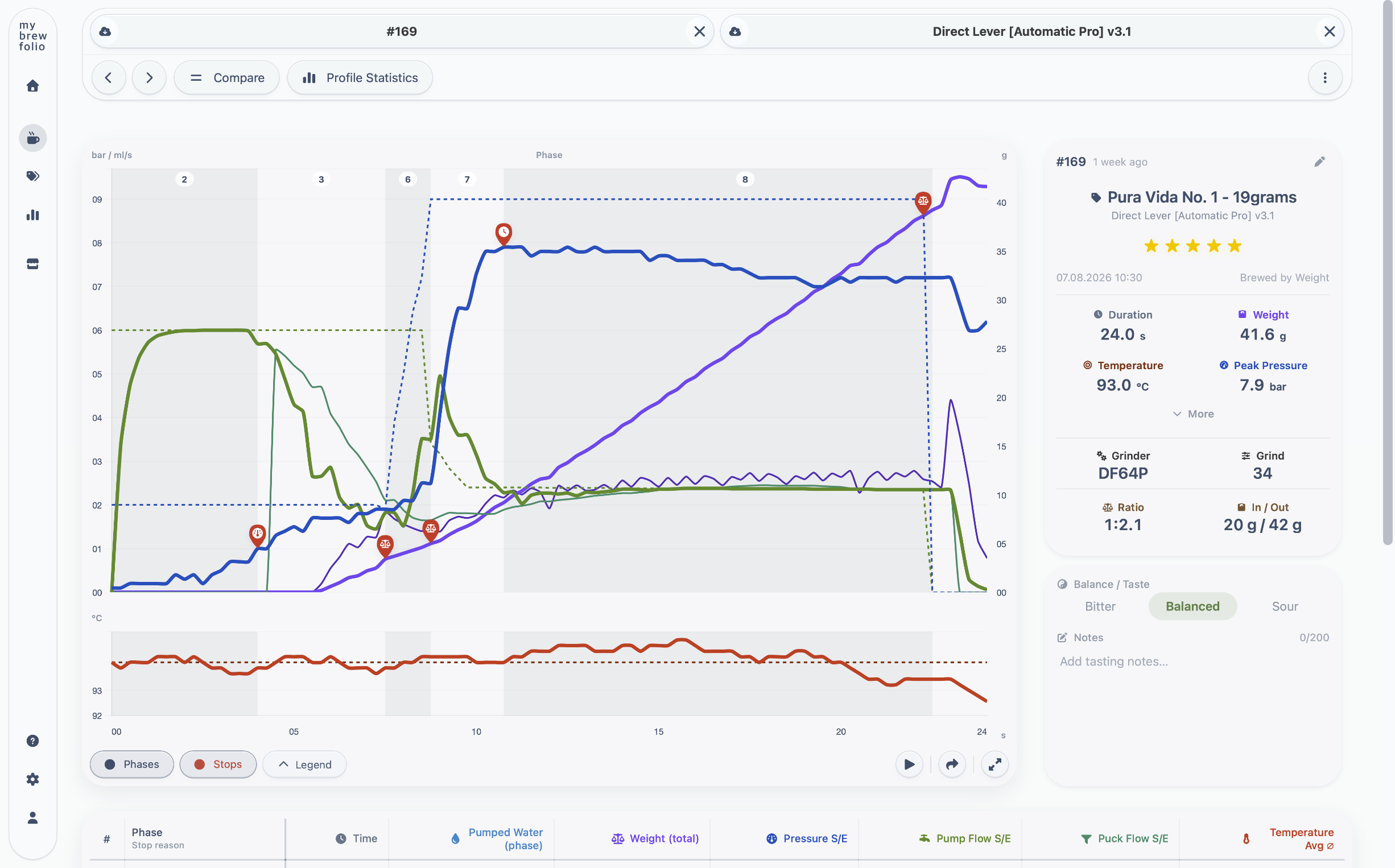
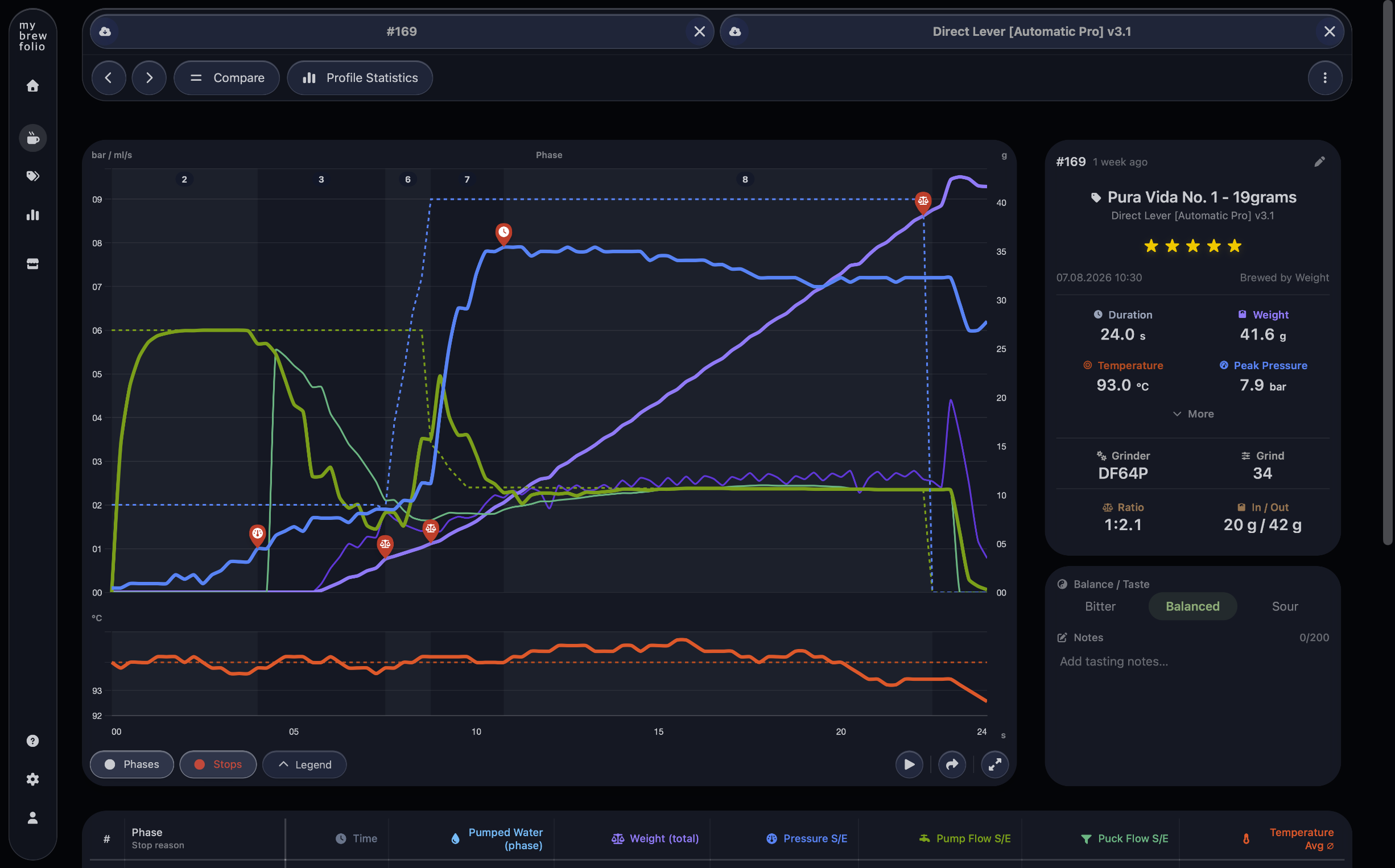
Open a recorded shot in the MyBrewFolio Brew Analyzer to inspect pressure, pump flow, puck flow, weight, pumped water, temperature and the stop reason for every phase. Available stop and target values help explain why a transition happened.
Compare two shots directly, or use Multi-Compare to inspect a larger set. Change one meaningful variable at a time and use the next recorded shot to verify the result.
Export and share the finished profile
When the profile is ready, export it from GaggiMate and publish it in the MyBrewFolio Profile Store with clear compatibility and dial-in information. The public profile page can be opened and downloaded without an account.
Common questions about profile creation
- How do I create a GaggiMate profile?
- Define the result you want, create ordered phases in the GaggiMate web interface, configure targets and exit conditions, save the profile and test it with a recorded shot before sharing it.
- Should I change several profile settings at once?
- Change one meaningful variable at a time whenever possible. Comparing recorded shots is much more useful when grind, temperature, ratio or phase behavior did not all change together.
- Where can I publish a finished profile?
- Export the JSON from GaggiMate and publish it in the MyBrewFolio Profile Store with accurate machine, roast and profile-level compatibility plus useful dial-in notes.